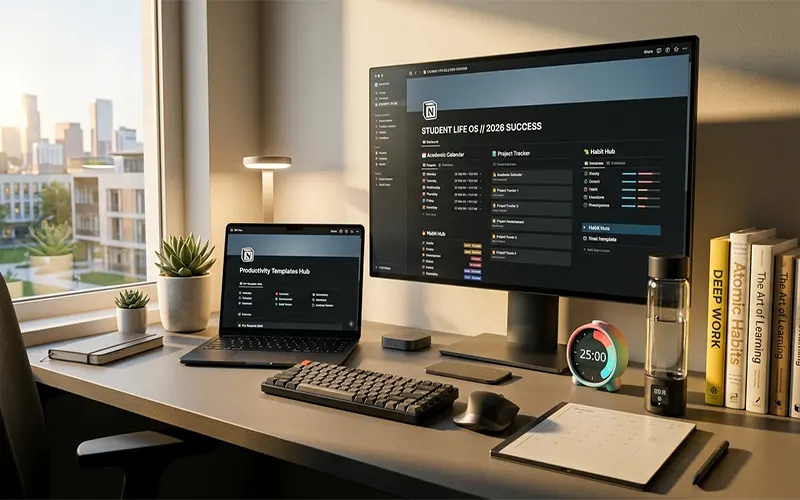
In April 2026, the traditional “to-do list” has become a relic of a simpler academic era. Today’s college students are navigating a hyper-connected landscape of hybrid lectures, AI-driven research, and the burgeoning “creator economy” for students. Managing this doesn’t just require an app; it requires a Personal Operating System.
Notion has evolved from a simple workspace into a powerful engine capable of running your entire life. With the recent rollouts of Notion Mail and Custom Agents, the “Student Life OS” is no longer a luxury—it’s a mechanical necessity for academic survival and mental clarity.
1. The Shift to “Life OS”: Beyond Simple Task Management
The “Life OS” philosophy treats your semester not as a series of isolated assignments, but as an interconnected ecosystem. In a true 2026 Notion setup, your Course Database isn’t just a list of classes; it’s a hub that talks to your Budget Tracker, your Fitness Log, and your Personal CRM.
When you mark a “Midterm Exam” as complete in your Academic Tracker, a 2026 Life OS doesn’t just check a box. It triggers a “Celebration” view on your dashboard, pulls up your “Post-Exam Reward” budget, and automatically updates your study habit streaks. This centralization reduces the “cognitive switching cost” that burns students out by mid-semester.
2. The Academic Command Center: AI-Integrated Note Taking
The cornerstone of any student template is the Note-Taking module. In 2026, the Cornell Note-Taking System has seen a digital renaissance through Notion’s AI integration.
- The Workflow: Capture raw lecture notes in the “Notes” column. Use Notion AI to instantly generate “Cues” (questions or keywords) in the left margin.
- The Summary: At the bottom, have the AI synthesize the entire lecture into a 3-sentence summary and five potential exam questions.
- Active Recall & Spaced Repetition: By using a “Review Date” formula property, your templates can now automatically “resurface” notes to your main dashboard 1, 7, and 30 days after the lecture, ensuring you never have to “cram” again.
3. Leveraging 2026 Features: Notion Mail & Agents
The biggest game-changers for students this year are Notion Mail and Custom Agents.
- Notion Mail Integration: Keep your university inbox (.edu) separate but accessible. You can now drag an email from a professor directly into your “Assignments” database, where a Custom Agent automatically extracts the deadline and creates a task for you.
- The “Study Buddy” Agent: You can now create a Custom Agent within your workspace that has access to all your uploaded PDFs and lecture notes. Need to know the relationship between two theories discussed three weeks apart? Simply ask your Agent, and it will cite your own notes to provide the answer.
4. Customizing for Your Major
A “one-size-fits-all” template is a myth. Your Notion setup should reflect the specific technical demands of your field:
| Major Category | Essential Template Module | 2026 Tech Feature to Use |
| STEM / Engineering | Code Snippet Repository | LaTeX Support for complex formulas |
| Humanities / Law | Master Citation Database | AI Summarization of long-form PDFs |
| Fine Arts / Design | Visual Portfolio Gallery | Notion “Sites” for instant portfolio publishing |
| Business / Marketing | Project Management (Sprints) | Notion Calendar for networking/internship sync |
5. Aesthetic vs. Utility: Finding Your “Vibe”
While functionality is king, the “aesthetic” of your workspace significantly impacts your motivation to use it. Two dominant design trends have emerged in 2026:
- Calm Digitalism: Focuses on sage greens, soft creams, and “lo-fi” GIF embeds. This is designed to lower cortisol levels during high-stress finals weeks.
- Cyberpunk Productivity: Uses high-contrast dark modes, neon accents, and data-heavy widgets. This “hacker” aesthetic is popular for students who thrive on a high-energy, “war room” environment.
Pro-Tip: Use Sync Blocks to keep a “Motivational Quote of the Day” or a “Current Mood” Spotify playlist consistent across every page of your OS.
Getting Started: The 3-Day Setup Challenge
Don’t try to build the perfect Life OS in one sitting. Follow this roadmap:
- Day 1: The Foundations. Import your syllabus and create your “Master Assignment Database.”
- Day 2: The Connections. Set up your Notion Calendar and sync your university email via Notion Mail.
- Day 3: The Personalization. Add your habit trackers, budget modules, and choose your aesthetic theme.
In 2026, the most successful students aren’t necessarily the ones who work the hardest—they are the ones with the best systems. By building a customizable Life OS in Notion, you aren’t just organizing your schoolwork; you are building a “Second Brain” that grows with you from your first freshman seminar to your final graduation thesis.